
Five menu-bar apps.
One burger.
Clipboard history, screenshots, window snapping, display brightness, and scroll correction — living in a single menu-bar panel.
After the beta, 14 days free to try.
Download for Mac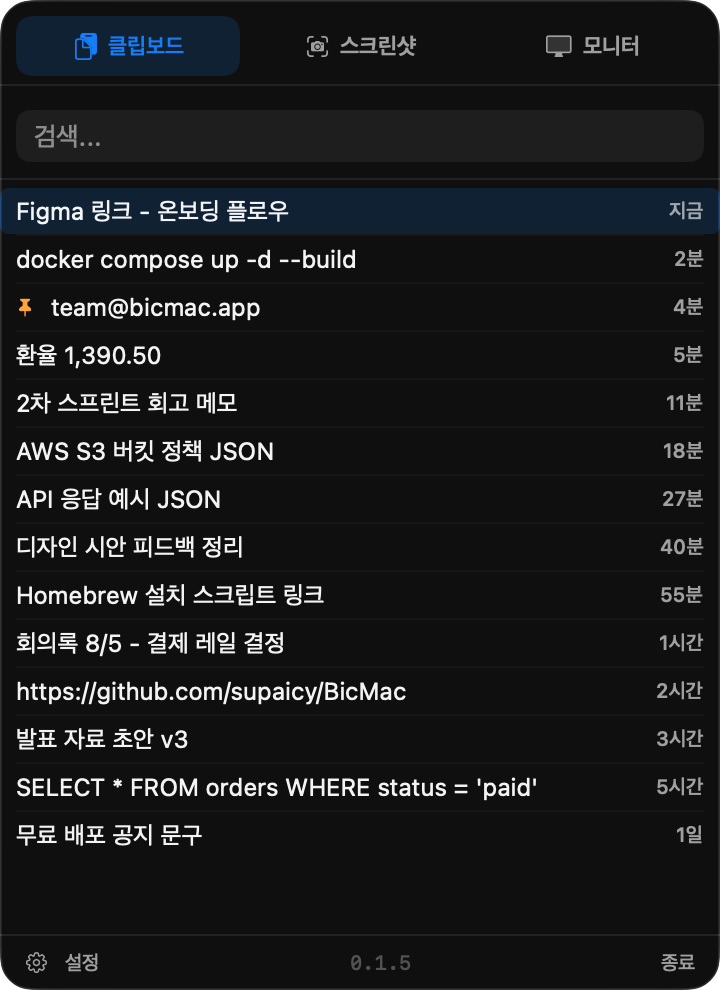
- Clipboard history with full-text search, pinning, and one-click paste
- Screenshots: full screen, region, or a picked window — straight to a folder you choose
- Window snapping to halves, thirds, quarters, and a drag-anywhere grid picker
- Real brightness control for external monitors, from the panel or F1/F2
- Reverse scrolling for wheel mice while the trackpad stays natural
- Korean, English, and Japanese — it speaks your language
Install
brew install --cask supaicy/bicmac-tap/bicmac
The beta isn't notarised yet, so the first launch is blocked. System Settings → Privacy & Security → Open Anyway. Once, and never again.